
How does it work?
You type or paste text, choose a voice and press play. With a cloud voice, the text goes through our server to a neural speech service and the audio comes back to your browser. A long text is cut at sentence boundaries into parts of up to about 900 characters. The parts are made in parallel and joined into one MP3, so a whole chapter plays and downloads as one file.
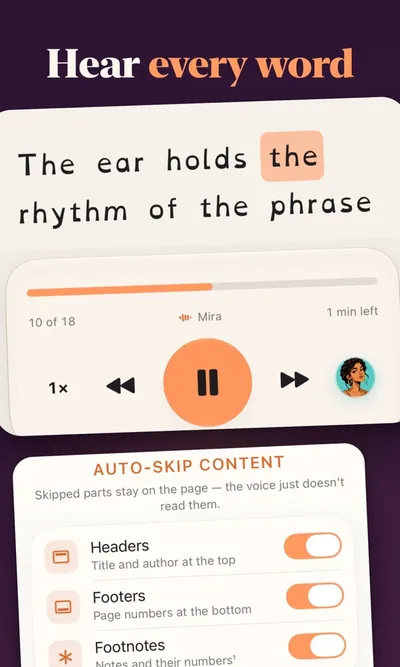
Cloud voices also send back the timing of every word. That is how the tool highlights each word while it is spoken, which makes it easy to follow along or spot a typo.
Cloud voices or browser voices?
ttsmaker has two kinds of voices. Most people should start with the cloud voices; the browser voices are there for private texts and as a fallback.
| Cloud voices | Browser voices | |
|---|---|---|
| Number of voices | 318 | 10 |
| Languages | 75 (142 regional variants) | 31 |
| Where the speech is made | A third-party neural speech service, through our server | On your device, by the Supertonic 3 model |
| What leaves your device | The text you convert | Nothing |
| License | See commercial use | OpenRAIL-M: commercial use allowed with restrictions |
The browser model downloads once and then runs on your computer or phone. It is a good choice for a contract, a medical letter or anything else you would rather not send to a server. Every voice, with its language and accent, is listed on the voices page.
What ttsmaker can do
- Read any text aloud in your browser, with each word highlighted as it is spoken.
- Save the speech as an MP3 file; see text to MP3 for file sizes and phone downloads.
- Handle long texts in one go: there is no cap on length, only a rate limit per IP address.
- Change speed from 0.5× to 2× and pitch from −50% to +50%.
- Speak 14 varieties of English, from US and UK to Indian, Nigerian and Australian, and 22 varieties of Spanish.
- Work the other way round: speech to text turns audio, video or your voice into text with Whisper.
What it cannot do
- No voice cloning and no celebrity voices. If you need a copy of your own voice, you need a paid service; our AI voice generator page explains what to use instead.
- No SSML. Pauses and emphasis come from punctuation and line breaks, not from markup.
- No API. The tool is for people using a browser, not for apps sending requests.
- No PDF or Word upload yet. Copy the text from the document and paste it in.
Popular languages
These languages have their own pages, with voice names, accents and a sample text written in the language:
- Spanish text to speech: 45 voices across 22 countries, from Spain and Mexico to Argentina and the US.
- Japanese text to speech: two cloud voices, Nanami and Keita, plus Japanese in browser mode.
- French text to speech: 13 voices for France, Canada, Belgium and Switzerland.
- German text to speech: 6 voices for Germany, Austria and Switzerland.
- British text to speech: 5 UK English voices, Libby, Maisie, Sonia, Ryan and Thomas.
The full list of 75 languages is on the languages page.
Where to go next
- Questions about limits, privacy or downloads: the help center.
- How ttsmaker compares with other free tools, with dated facts: comparisons.
- Step-by-step walkthroughs for YouTube, CapCut, Mac and Windows: guides.
- Listening rather than making a file: read text aloud with word highlighting.